- About
- Why Trust
- Benefits of
- Insights of
- Aspiration of
- Portfolio
- User Case Study
TeachinStine
- About
- Why Trust
- Benefits of
- Insights of
- Aspiration of
- Portfolio
- User Case Study
- Overview
- Why?
- Benefits
- Insights
- Aim
- Portfolio
- Case Study
Overview of TeachinStine 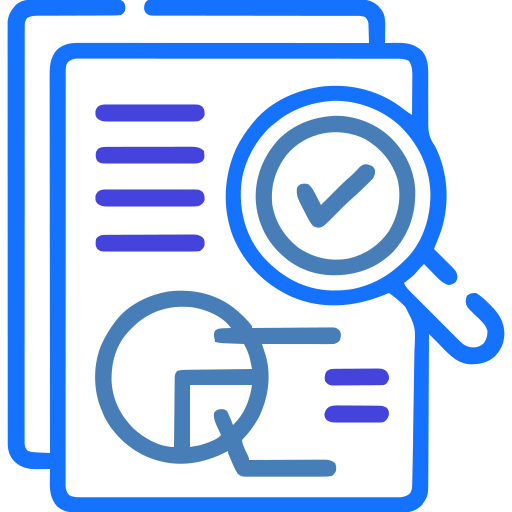
TeachinStine is a secure, intelligent learning management platform designed to streamline academic operations and enhance the delivery of digital education. It integrates teaching, learning, assessment, and monitoring into a single unified ecosystem, empowering institutions, educators, and learners with efficiency, transparency, and control.
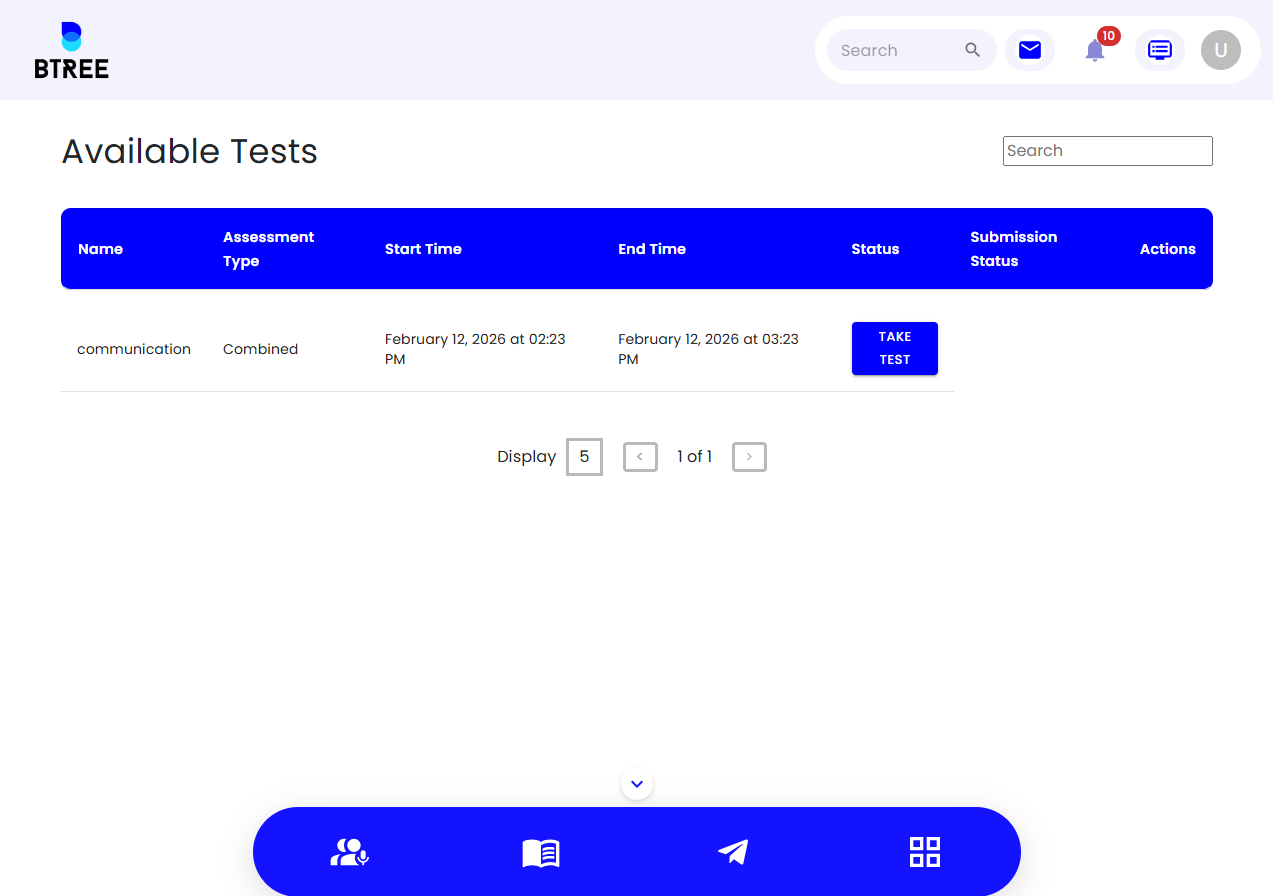
It gives teachers the tools they need to efficiently manage resources and gives students access to an intuitive dashboard that shows attendance records and class schedules, improving openness and communication.
Why TeachinStine
TeachInStine is built on reliability, security, and accountability. With advanced permission-based access control, user session tracking, and suspicious activity detection, the platform ensures data integrity and user safety. Automated reporting, email management, and audit-ready records make TeachInStine a trusted solution for modern educational institutions.
Benefits 
 Centralised management of assignments, files, recordings, and study materials
Seamless meeting scheduling and mock interview support
Role-based dashboards for students, faculty, and administrators
Enhanced data security with controlled access and session monitoring
Improved academic transparency through reports and activity tracking
Time and cost efficiency through automation and digital workflows
Insights 
 From Watching Screens to Noticing Students.
 Celebrating the Journey, Not Just the Grade.
 The "Digital Guardian" for Peace of Mind.
 Reclaiming Time for Mentorship.
 Building a Bridge of Trust with Families.
 Proactive Care Over Reactive Correction.
Mission 
To enable secure, seamless digital education through an intelligent platform that empowers teaching, learning, and assessment.
Vision .png)
To redefine global academic management by becoming the most trusted, intelligent, and transparent EdTech ecosystem.
Value 
We uphold security, integrity, innovation, transparency, user-centric design, accountability, and excellence in digital education.
Case Study 
TeachinStine is more than a management tool; it’s a catalyst for academic excellence. By unifying the pillars of education—teaching, learning, and assessment it removes the technical noise that often clutters the classroom. It provides institutions with the intelligence and control necessary to thrive in a digital first world, while keeping the human connection at the very center of the learning journey.
https://acsass.com/products/edinstine/user-case-study.pdf

.png)




Features
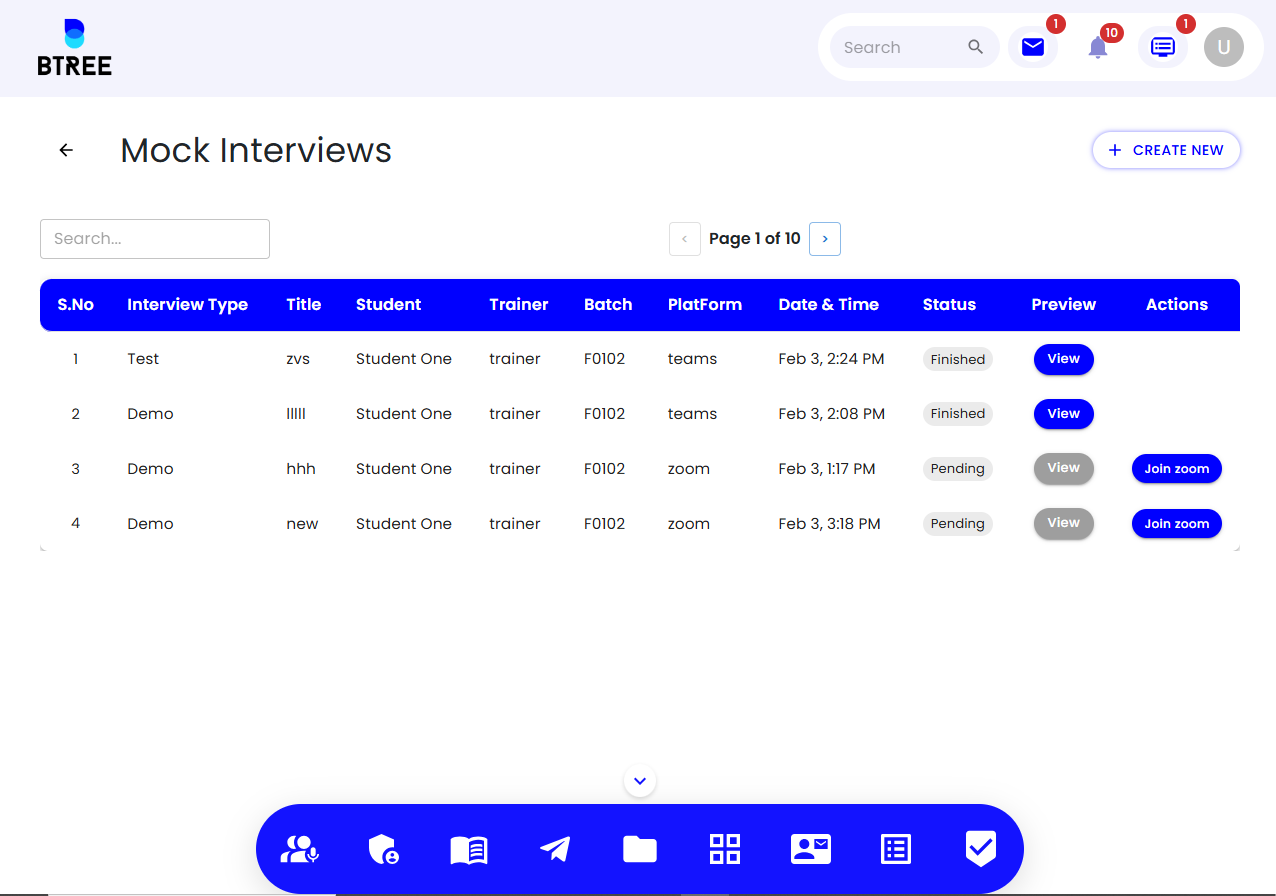
Meeting & Mock Interviews TeachinStine
Zoom, teams, CircleConnect
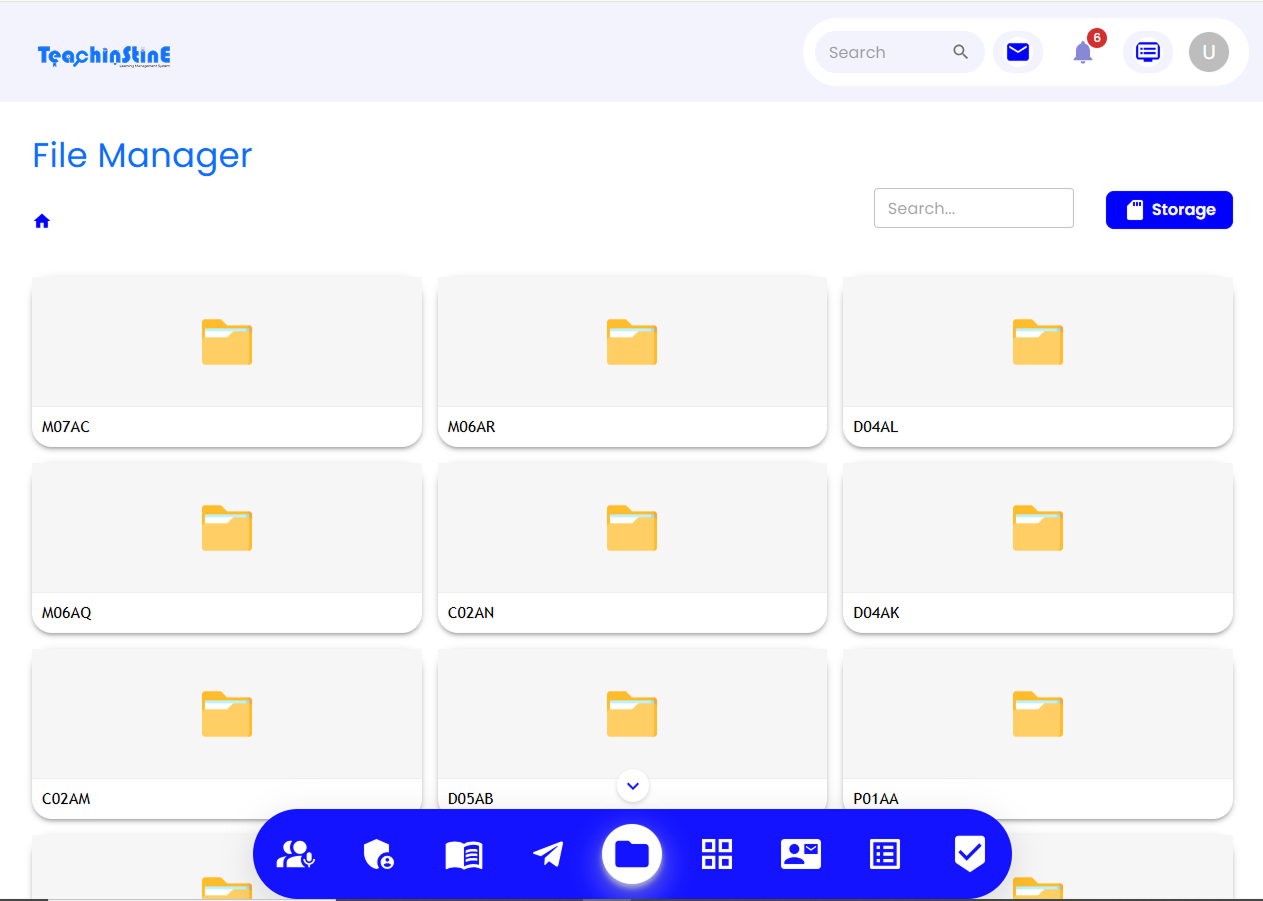
File management TeachinStine
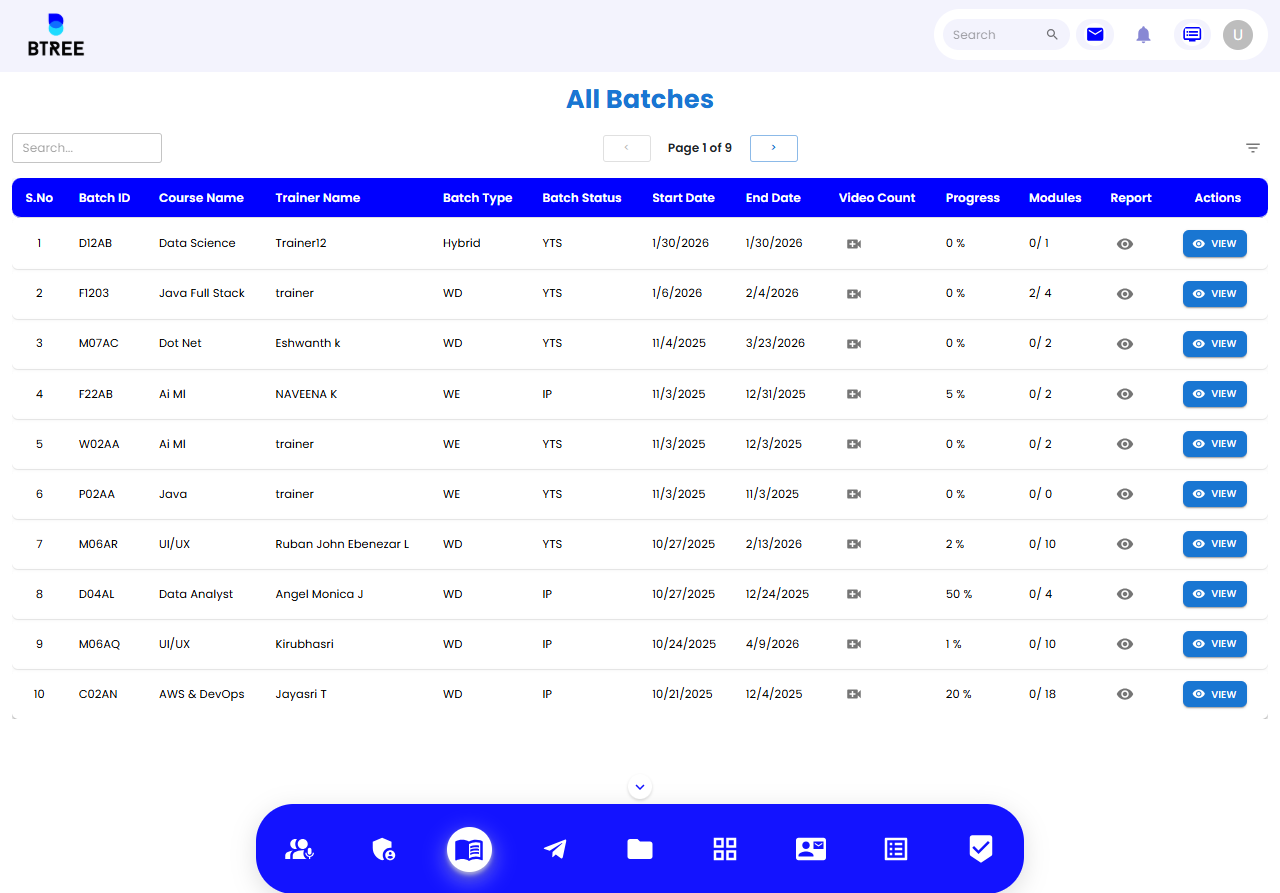
Permission & Access Control TeachinStine
User Session Tracking TeachinStine
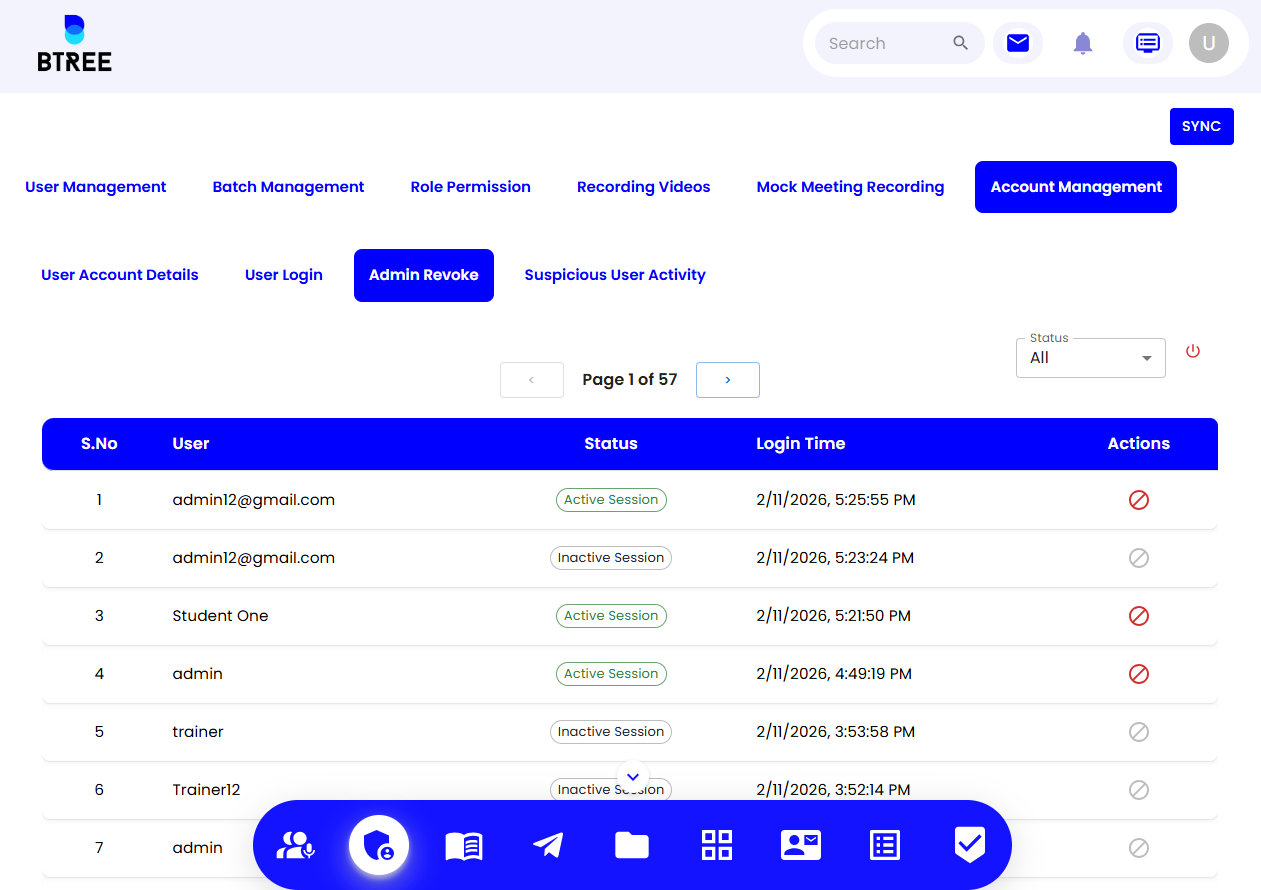
Detect Suspicious Activity TeachinStine
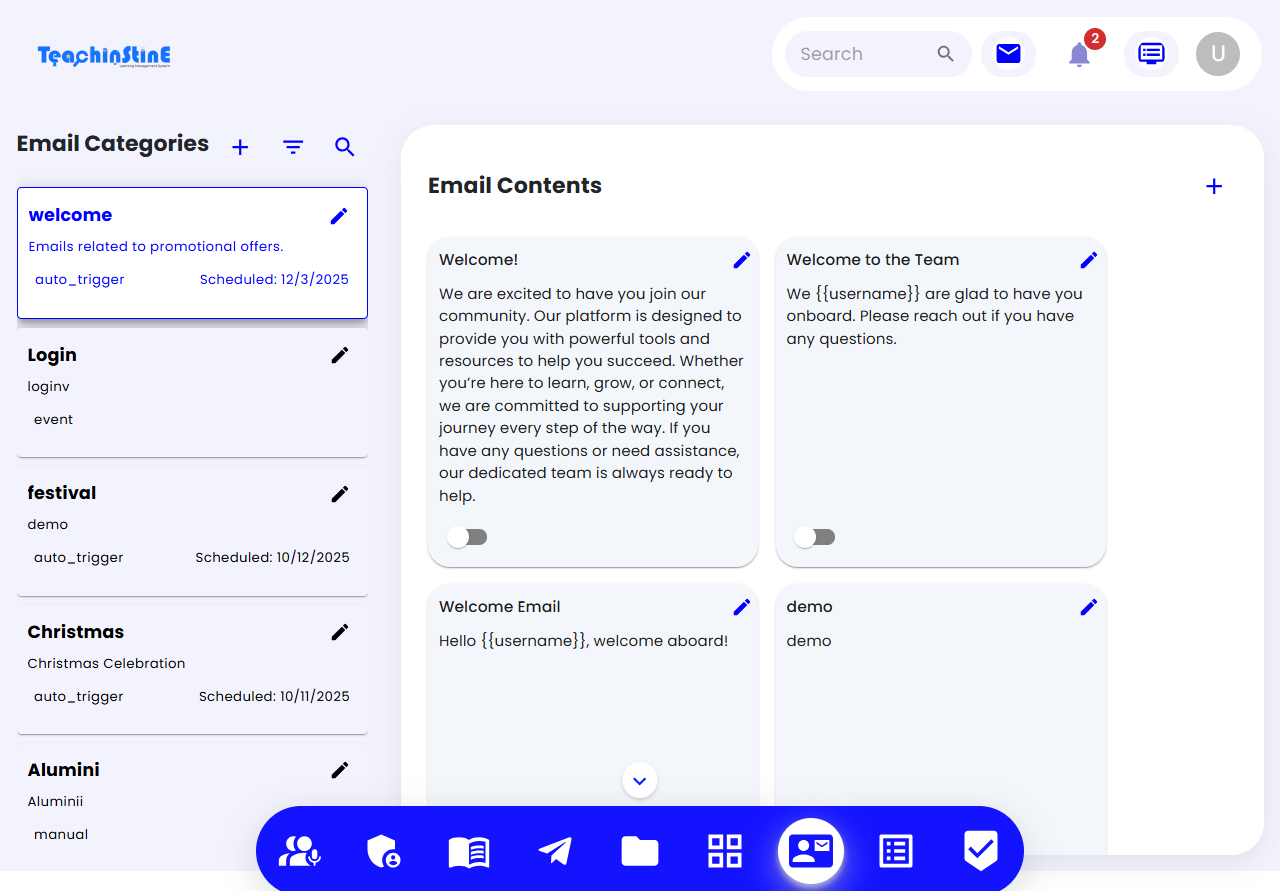
Email Management TeachinStine
Assignment Management TeachinStine
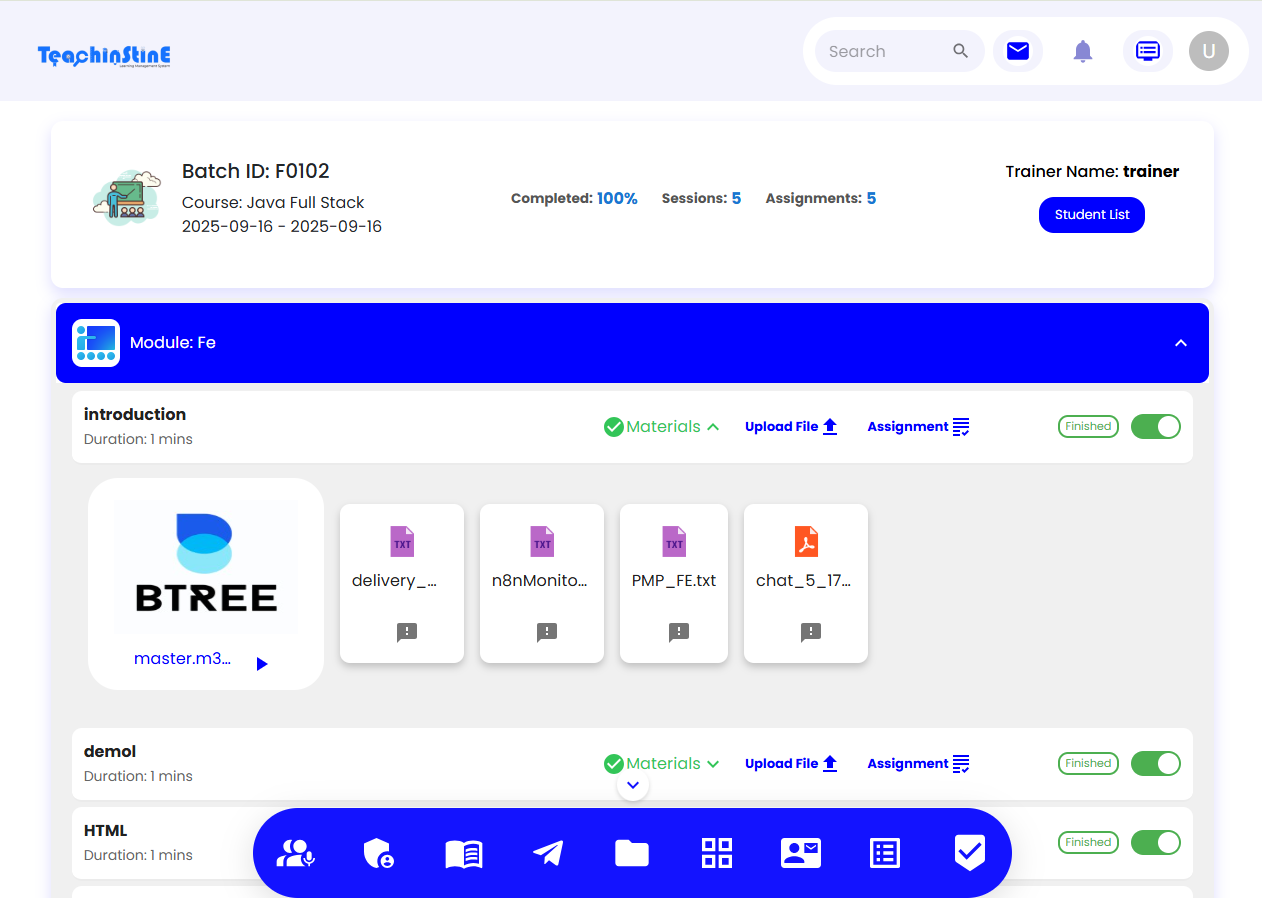
Syllabus & Study Materials TeachinStine
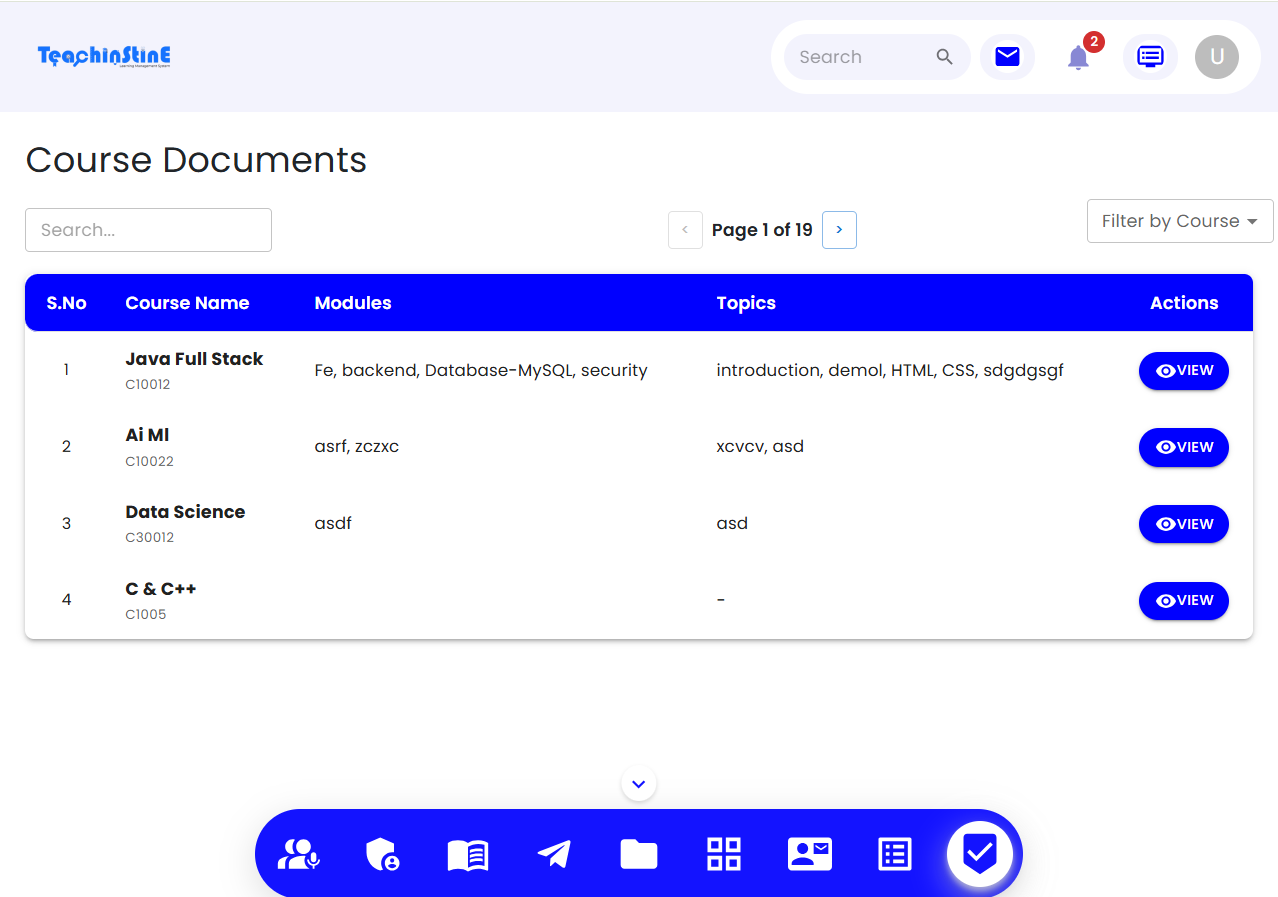
Report Maintenance TeachinStine
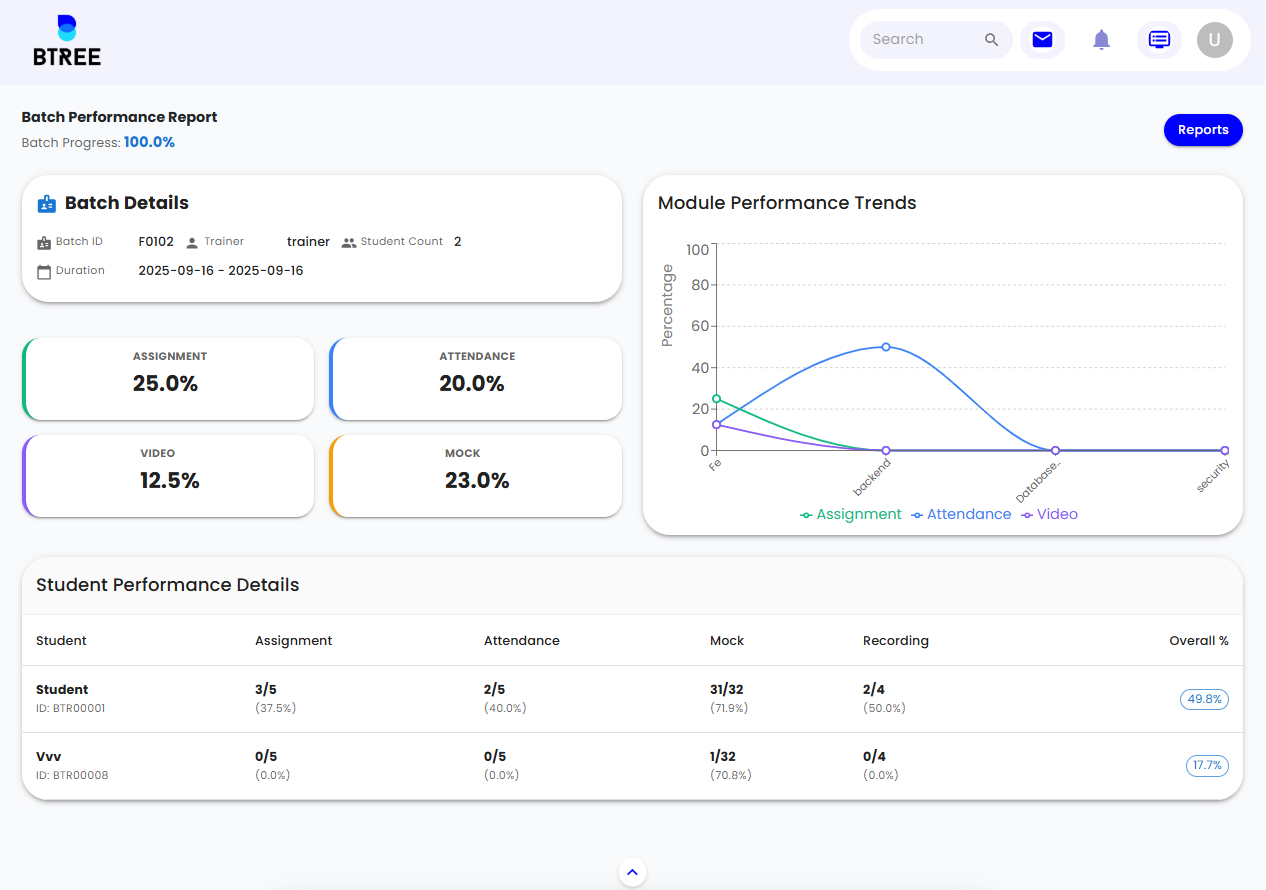
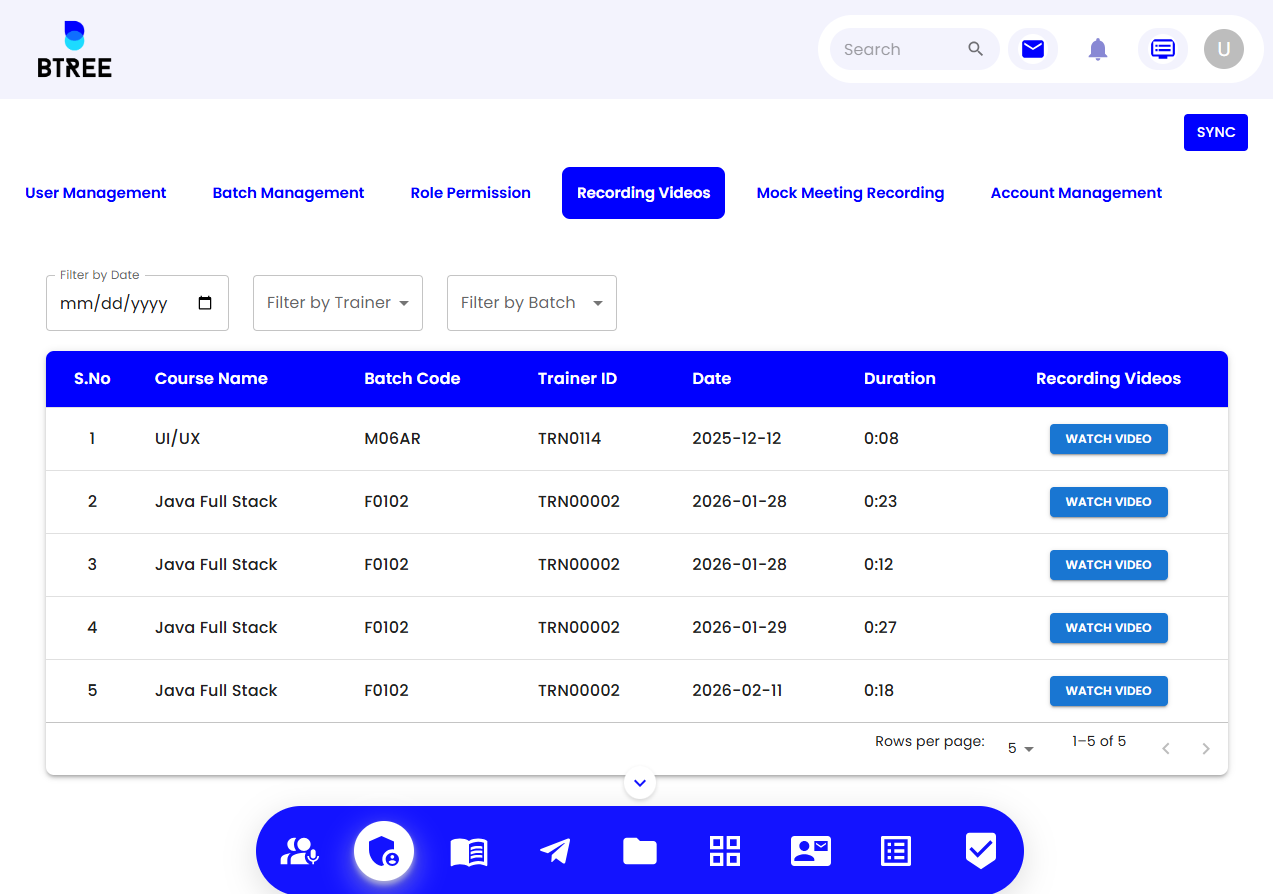
Recording Management TeachinStine
FAQs
To see your courses, just log in to the Teachinstine or website using your registered phone number and the OTP sent to you. Once you're in, look for the "Classroom" or "My Courses" tab on your main dashboard to see everything you're enrolled in.
Yes, you can access all your study materials online directly through the platform. Once you are in your specific classroom, look for the "Study Material" tab, where your teachers can upload PDFs, images, and documents for you to review.
To create and upload courses on Teachstine, you first need to set up a virtual classroom, which serves as the container for your course content and student management.
Yes, you can manage all your students, teachers, and administrators from a single, unified dashboard on Teachstine. The platform is designed as an all-in-one Integrated School Platform that combines several management tools into one system.
Yes, you can access your account on multiple devices to stay connected wherever you are. Whether you're at your desk or on the move, the platform is designed to sync your data across various screens.